How to Convert Unicode to Geetanjali — A Professional Guide
A precise, professional guide to converting Assamese and Bangla Unicode text to Geetanjali font encoding for DTP workflows and print publishing.
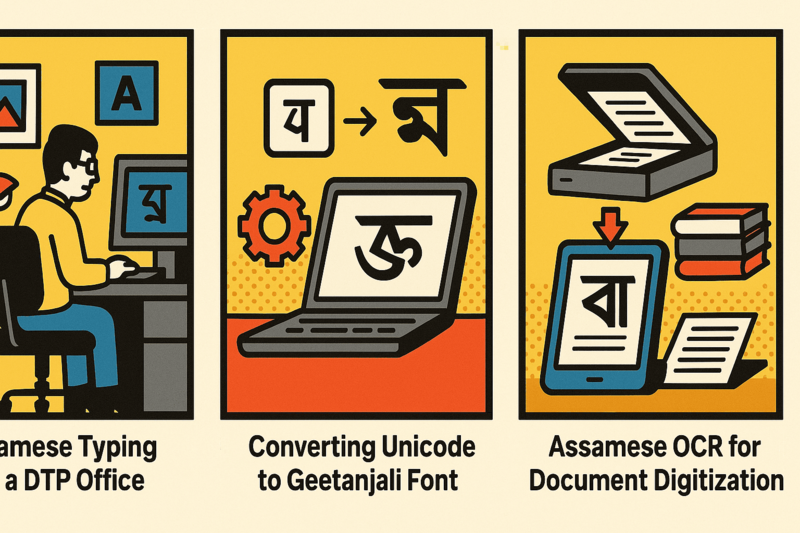
Why Unicode and Geetanjali Still Co-exist in Assamese Publishing
Unicode is the global standard for digital text. Every modern platform — websites, mobile apps, social media, email, government portals — requires Unicode. Assamese Unicode characters occupy the Bengali Unicode block (U+0980–U+09FF), shared with Bangla script.
But walk into any Assamese newspaper composing room or publishing house and you’ll find Geetanjali still running the production pipeline. Dainik Asom, Dainik Janambhumi, and hundreds of smaller publishers built their workflows around PageMaker 6.5 with Geetanjali fonts — and that institutional momentum is enormous.
This is the dual-encoding reality of Assamese publishing. Reporters file in Unicode (typed on phones or computers). Production teams need Geetanjali for PageMaker layout. The conversion step between them is non-negotiable.
For a deeper technical explanation of why these two encoding systems work so differently at the byte level, see our Unicode vs Geetanjali architecture comparison.
How Geetanjali Encoding Actually Works
Geetanjali is what’s called a font-based encoding or legacy encoding. Instead of assigning unique Unicode code points to Assamese characters, Geetanjali maps Assamese letters to the positions of English letters in a custom font file.
When you type ‘k’ with Geetanjali font active, it doesn’t store the Unicode character ‘k’ (U+006B) — it stores ‘k’ but the font renders it as the Assamese letter ক. The underlying byte in the file is the same as the English ‘k’.
This is why Geetanjali text looks like random English letters when you open it without the font installed. And why copy-pasting it to a website produces gibberish.
A proper Unicode to Geetanjali converter must maintain a complete bidirectional character mapping table — including all vowel marks (matras), consonants, conjunct ligatures (Juktakkhor), and punctuation variants.
Why Manual Conversion Always Fails
The Assamese script contains complex Juktakkhor (conjunct consonants) — combinations of two or three consonants that merge into a single glyph. Examples: ক্ষ (Ka+Ssa), ত্ৰ (Ta+Ra), স্ক (Sa+Ka).
In Unicode, each component character is stored sequentially and the rendering engine assembles the conjunct glyph. In Geetanjali, the conjunct itself occupies a single keyboard position.
Manually trying to retype or find-and-replace between these systems requires knowing the exact keyboard position of hundreds of characters and conjuncts. One missed substitution corrupts the entire document. For a 200-page book, manual conversion is practically impossible.
How Rupantarak Handles the Conversion
Rupantarak uses a complete character mapping database that covers:
- All Assamese and Bangla vowels and consonants
- All matra (vowel mark) combinations
- All Juktakkhor conjunct forms used in published Assamese text
- Hasanta and halant markers
- Assamese numerals
- Standard punctuation variants
The conversion engine processes documents left-to-right, resolving each Unicode sequence (including multi-character sequences for conjuncts) and replacing them with the correct Geetanjali-encoded output. It preserves paragraph breaks, tab stops, and document formatting.
Speed: 2000 pages in 42 seconds. A standard 300-page novel converts in under 7 seconds.
Common Use Cases
| Workflow | Direction | Why |
|---|---|---|
| Reporter files article → Newspaper DTP | Unicode → Geetanjali | PageMaker production needs Geetanjali |
| Archive digitization → Reprint | Geetanjali → Unicode | Old files need Unicode for modern editing |
| Web content → Print | Unicode → Geetanjali | Web uses Unicode; print DTP uses legacy fonts |
| Book scan → Reprint | Unicode (OCR output) → Geetanjali | PrintMint Pro’s built-in OCR outputs Unicode; press needs Geetanjali |
| Legacy archive → Digital | Geetanjali → Unicode | Preserving files for web, search, accessibility |
Practical Workflow for Publishing Houses
For organizations that process large volumes of content daily:
- Collect Unicode articles from reporters (WhatsApp, email, Google Docs)
- Drop all files into a single folder
- Run Rupantarak batch conversion on the entire folder
- Geetanjali-encoded files appear in the output folder
- Import directly into PageMaker layout templates
The entire batch step takes seconds. For a newspaper with 30 articles per day, this replaces hours of manual formatting.
For the complete step-by-step setup guide, see the Unicode to Geetanjali tutorial.
Conclusion
Converting Unicode to Geetanjali is not optional for Assamese publishers operating in legacy DTP environments — it’s a daily production requirement. The only practical solution is a converter that understands the complete Assamese character set at a technical level.
Rupantarak has served as the professional standard for this conversion across Assam for years. If your workflow involves Assamese or Bangla text moving between Unicode and Geetanjali, it is the essential tool.
Related Reading
- Unicode to Geetanjali step-by-step tutorial — hands-on guide to Rupantarak’s workflow
- Assamese newspaper DTP workflow — how a real newsroom uses Rupantarak every production cycle
- Assamese typing guide for DTP professionals — keyboard input modes and DTP compatibility
- Unicode vs Geetanjali architecture — technical deep-dive on encoding differences
- History of Assamese font encoding — why Geetanjali exists and why it persists
- PrintMint Pro’s built-in OCR — for when the source content is printed (OCR → Unicode → Geetanjali workflow)
- PageMaker to InDesign migration — how to eventually move away from the Geetanjali pipeline
Frequently Asked Questions
Why can't I just copy-paste Unicode text into PageMaker with Geetanjali font?
Because Unicode and Geetanjali use entirely different character encoding systems. When you paste Unicode Assamese text and apply the Geetanjali font, the characters appear garbled — random English letters — because PageMaker renders the text using Geetanjali's mapping table, not Unicode code points. You need a dedicated converter like Rupantarak to properly remap every character.
Does Rupantarak support Ramdhenu and Bikash font formats too?
Rupantarak focuses on Unicode ↔ Geetanjali conversion, which is the most widely used pair in Assamese DTP. Contact the Jahnabi team for information about other legacy encoding formats.
How long does Unicode to Geetanjali conversion take for a 300-page book?
Rupantarak converts 2000 pages in approximately 42 seconds, so a 300-page book would complete in under 7 seconds. Batch conversion mode allows you to process entire folders automatically.
Will the converted Geetanjali text work in both PageMaker and InDesign?
Yes, as long as the Geetanjali font is installed on the system. Rupantarak generates standard Geetanjali-encoded text that works in any DTP application that has the font installed.