Unicode vs Geetanjali: How Assamese Font Encoding Actually Works
A deep technical breakdown of how Geetanjali encoding works internally — font-substitution tricks, character mapping tables, and why it fails on the web — versus Unicode code points for Assamese.
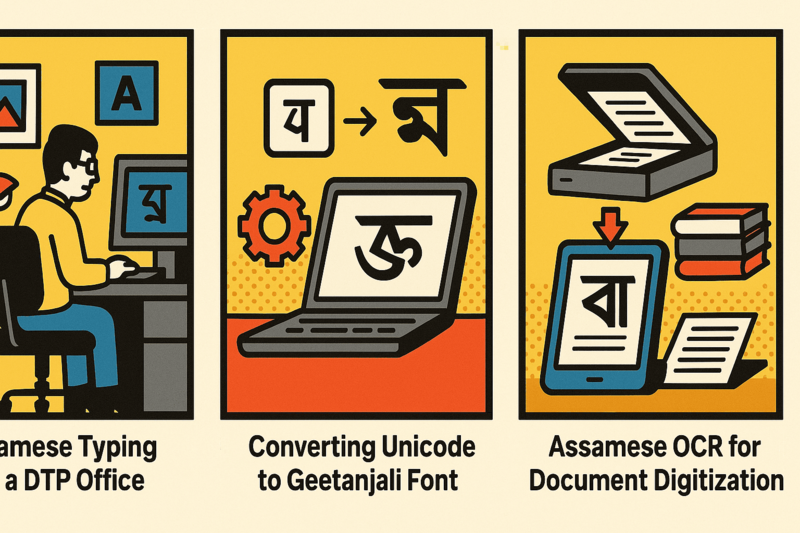
The Core Trick: Font Substitution, Not Encoding
To understand why Geetanjali and Unicode are architecturally incompatible, you need to understand how Geetanjali actually stores text.
When a DTP operator types the letter k on a standard English keyboard with the Geetanjali font active, the software records the ASCII code for k — decimal 107, hex 0x6B. The Geetanjali font file contains a custom glyph at that position: the Assamese character ক (ka). The operating system renders it correctly because it substitutes the font’s custom glyph for what would otherwise display as the letter “k”.
This is font substitution, not encoding. The file contains the byte 0x6B. The font file makes it look like Assamese. Remove the font or open the file on a system without Geetanjali installed, and you see raw ASCII — “k”, “a”, “j”, etc.
Unicode works the opposite way. The code point for Assamese ক is U+0995. Any Unicode-compliant font containing that code point will render the character correctly. The character identity is embedded in the data itself, not dependent on a specific font file being present.
The Mapping Table: Where Encoding Lives
Every Geetanjali document is intelligible only when you have the mapping table that defines which ASCII character represents which Assamese glyph. This table is effectively baked into the font file itself — it is not stored alongside the text.
Here is a partial comparison of common characters:
| Assamese Character | Unicode Code Point | Geetanjali Key | Ramdhenu Key | Bikash Key |
|---|---|---|---|---|
| ক (ka) | U+0995 | k |
k |
k |
| খ (kha) | U+0996 | K |
K |
K |
| গ (ga) | U+0997 | g |
g |
g |
| ঘ (gha) | U+0998 | G |
G |
G |
| ট (tta) | U+099F | t |
T |
t |
| ড (dda) | U+09A1 | d |
D |
d |
| ৰ (ra — Assamese-specific) | U+09F0 | r |
r |
r |
| ৱ (wa — Assamese-specific) | U+09F1 | w |
w |
w |
| া (aa vowel sign) | U+09BE | a |
a |
a |
| ি (i vowel sign) | U+09BF | i |
e |
i |
| ্ (hasanta/virama) | U+09CD | & |
^ |
& |
Notice the divergence already on the ি (i vowel sign) — Ramdhenu maps it to e, while Geetanjali maps it to i. A document typed in Ramdhenu, opened under the Geetanjali font, will display the wrong vowel throughout. This is the fragmentation problem in concrete form.
Ramdhenu, Bikash, and Pragjyotish each developed their own mapping conventions independently during the 1990s, with no coordination between developers. The result is that Assamese publishers who switched systems even once have documents in two different proprietary encodings that require separate conversion workflows.
Juktakkhor: The Conjunct Problem
Assamese conjunct characters — called Juktakkhor — are compound glyphs formed when a consonant is directly followed by the virama (hasanta, U+09CD) and then another consonant. The virama suppresses the inherent vowel and signals consonant joining.
In Unicode, ক্ষ (ksha) is stored as three code points: U+0995 (ক) + U+09CD (্) + U+09B7 (ষ). The rendering engine (using OpenType GSUB tables) substitutes this sequence with the combined conjunct glyph.
In Geetanjali, the same conjunct is typically accessed via a single key combination or a dedicated key position in the font. There is no virama sequence — the conjunct glyph occupies a single slot in the font’s private mapping. This means a single Geetanjali keystroke for ক্ষ must expand to three Unicode code points during conversion. A naive byte-for-byte mapping will fail; the converter must understand conjunct decomposition rules.
This is precisely why Rupantarak handles 2000 pages in 42 seconds without errors — it operates on a conjunct-aware mapping engine, not a simple find-and-replace table. The Unicode vs Geetanjali comparison covers the rendering implications in detail.
For the keyboard input side of this — how DTP professionals type in both Unicode and Geetanjali modes — see the Assamese typing guide for DTP and the Jahnabi Pro Keyboard, which supports both encoding modes from a single installation.
Why Geetanjali Breaks on the Web
Web browsers do not load arbitrary font files from a user’s local system by default. When a webpage contains Geetanjali-encoded text:
- The browser reads ASCII bytes (
k,a,g, etc.) - It renders them using whatever font is specified in the CSS — or a system fallback
- Since the system font contains real Unicode glyphs for those ASCII positions (Latin letters), the browser displays Latin characters
There is no mechanism in HTML or CSS to tell a browser “interpret byte 0x6B as Assamese ক rather than Latin k.” This is why every Assamese newspaper that moved to web publishing had to migrate from Geetanjali to Unicode. A Geetanjali document that looks perfect in PageMaker becomes unreadable ASCII noise in a web browser.
Unicode text, by contrast, carries the identity of each character in its code points. As long as the browser loads a font (via @font-face or system font) that covers the U+0980–U+09FF Assamese/Bangla block, the text renders correctly without any special configuration.
The PDF Problem
Geetanjali PDFs exhibit a related failure mode. When a PDF is exported from PageMaker with Geetanjali fonts embedded, the PDF reader can display it correctly — because the font is embedded. But:
- Text search fails: the underlying character stream is ASCII, so searching for “ক” finds nothing
- Copy-paste produces garbage: copied text pastes as the ASCII characters, not Assamese
- Accessibility is broken: screen readers cannot interpret the content
Unicode PDFs, generated from InDesign or any Unicode-aware application with proper Noto Serif Bengali or similar fonts, are fully searchable and copy-pasteable.
Practical Consequence for Publishing Houses
The dual-encoding reality is not going away soon. Assamese newspapers like Dainik Janambhumi and Dainik Asom maintain archives in Geetanjali going back to the early 2000s. These cannot simply be discarded or manually retyped.
The correct workflow is conversion: Geetanjali → Unicode for digital publication and archival, and Unicode → Geetanjali for any content that must be fed back into legacy PageMaker 6.5 pipelines. A bidirectional tool that understands all conjunct mappings for Geetanjali, Ramdhenu, Bikash, and Pragjyotish is the only viable path through this fragmentation.
If your workflow involves any legacy Assamese DTP material, start with a complete encoding audit of your archive before assuming all files use the same system. Font filename alone is not a reliable indicator — some operators installed Geetanjali-encoded files under renamed font identifiers to work around licensing issues.
For the full history of how these encoding systems emerged and diverged, see the history of Assamese font encoding. For the operational reality of running a dual-encoding newsroom today, see the Assamese newspaper DTP workflow. For platform migration from PageMaker to InDesign, see the PageMaker to InDesign migration guide. And for digitizing printed Assamese content to Unicode without manual retyping, PrintMint Pro’s built-in OCR is the purpose-built solution.
Frequently Asked Questions
What is the difference between Geetanjali and Unicode for Assamese?
Geetanjali is a legacy proprietary font encoding where Assamese characters are mapped to standard ASCII keyboard positions in a custom font file. Unicode is the international standard where each Assamese character has a unique code point in the U+0980–U+09FF range. Geetanjali text looks correct only when the Geetanjali font is installed; the underlying bytes are ASCII. Unicode text is portable, font-independent, and works everywhere.
Why does Geetanjali text look like English letters on a website?
Because Geetanjali files store ASCII characters (English keyboard codes) and rely on font substitution to display Assamese glyphs. When a web browser renders the file without the Geetanjali font installed, it shows the raw ASCII characters — typically Roman letters — instead of Assamese script.
How does the Geetanjali to Unicode conversion work?
Conversion software like Rupantarak uses a bidirectional character mapping table that pairs each Geetanjali keyboard code (ASCII value) with the correct Unicode code point(s) for that Assamese character. Conjunct characters (Juktakkhor) require multi-character Unicode sequences that a single Geetanjali keystroke cannot represent directly, so the converter must decompose and recompose them.
Are Ramdhenu and Bikash the same as Geetanjali encoding?
No. Ramdhenu, Bikash, and Pragjyotish are separate proprietary font encoding systems. Each has its own keyboard-to-character mapping table that differs from Geetanjali's. A converter written for Geetanjali will produce garbage if fed Ramdhenu text — you must use the correct mapping for each system.