Assamese Typing for DTP Professionals: Keyboard Layouts, Font Compatibility, and Conjunct Mastery
A professional guide to Assamese typing workflows for DTP — covering keyboard layout choices, Geetanjali vs Unicode input, conjunct formation, and compatibility with InDesign and PageMaker.
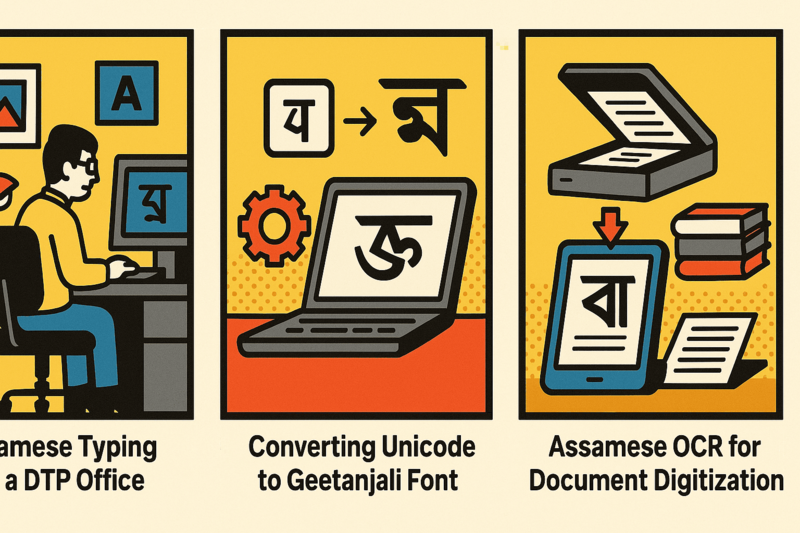
The Dual-Mode Reality of Assamese DTP Typing
Professional Assamese DTP typing operates in two distinct modes: Unicode input for digital/web content and new documents, and Geetanjali-mode input for legacy PageMaker workflows. Understanding the difference is the foundation of all Assamese DTP work.
Most DTP operators need to switch between modes — sometimes within the same project. A news article might be received in Unicode from the reporter, edited in a Unicode text editor, then converted to Geetanjali for final PageMaker layout. Having tools that handle this transition cleanly is essential.
For context on why these two encoding worlds coexist, see the Unicode vs Geetanjali comparison and the history of Assamese font encoding.
Keyboard Layout Options for Assamese DTP
Inscript Layout
Inscript is the Indian government’s standardized keyboard layout for Indian scripts, including Assamese. The layout maps Assamese characters to fixed key positions:
- Advantage: Standardized — same layout works for all Indic scripts
- Advantage: Supported natively in Windows without additional software
- Disadvantage: Non-phonetic — requires memorizing an entirely new key mapping
- Disadvantage: Fewer DTP professionals know it compared to Geetanjali layout
Phonetic / Romanized Layout
Phonetic keyboards map Assamese characters to English keys by sound — typing ‘k’ gives ক, typing ‘kh’ gives খ, etc.
- Advantage: Intuitive for people who type in English
- Advantage: Fast learning curve
- Disadvantage: Ambiguity in phonetic mapping (multiple approaches exist)
- Disadvantage: Not standard across DTP houses; every operator may use a different tool
Geetanjali Layout (for Legacy DTP)
The Geetanjali keyboard layout maps Assamese characters to English key positions based on visual similarity and historical convention. This is the layout Assamese newspaper compositors learned.
- Advantage: Industry standard in Assamese newspaper production
- Advantage: Perfectly matched to Geetanjali fonts in PageMaker
- Disadvantage: Produces encoded text that only works with Geetanjali font installed
- Disadvantage: Output must be converted to Unicode for web/modern use
Jahnabi Pro Keyboard Layout
Jahnabi Pro Keyboard provides professional-grade keyboard input for Assamese DTP with dedicated support for:
| Mode | What it does |
|---|---|
| Unicode Assamese | Standard Unicode input with phonetic assist |
| Geetanjali DTP | Legacy Geetanjali font mode for PageMaker |
| Multi-language | Assamese, Bangla, Hindi, and Tai Ahom |
| Font bundled | 500+ calligraphic fonts for professional DTP |
Conjunct Consonants: The Core Typing Challenge
Assamese script has a rich system of Juktakkhor (conjunct consonants). In professional DTP, these must render perfectly — a broken conjunct in a headline is immediately visible and unprofessional.
Unicode Conjunct Entry
In Unicode, conjuncts are formed with the Hasanta (্) character as a joiner:
- ক + ্ + ষ = ক্ষ (Khya)
- ত + ্ + ৰ = ত্ৰ (Tra)
- ন + ্ + ত + ্ + ৰ = ন্ত্ৰ (Ntra)
The rendering engine (Uniscribe on Windows, HarfBuzz on modern systems) automatically assembles the conjunct glyph from the Unicode sequence. The quality of this rendering depends on the font’s OpenType GSUB/GPOS tables.
Geetanjali Conjunct Entry
In Geetanjali mode, common conjuncts have dedicated single-key mappings. ক্ষ is a single key press — there’s no composition step. This is why trained Geetanjali typists can type faster in Geetanjali mode than in Unicode mode for Assamese-heavy content.
DTP Software Compatibility
PageMaker 6.5
Works with Geetanjali keyboard mode. Unicode input into PageMaker with Geetanjali fonts will appear garbled. Always use Geetanjali-mode input or convert Unicode → Geetanjali with Rupantarak before importing.
Adobe InDesign CS4+
InDesign has full Unicode support with proper Indic text rendering via World-Ready Composer. Use Unicode input. If importing from a Geetanjali source, convert to Unicode first. InDesign CS4-CS6 may require Noto Serif Bengali or similar Unicode font for correct rendering.
Microsoft Word
Full Unicode support. Use Unicode input with a system font that includes Assamese/Bangla glyphs (Noto Serif Bengali, Vrinda, or similar). Geetanjali input will display incorrectly unless the Geetanjali font is installed.
CorelDraw
Supports Unicode. Same guidance as InDesign — use Unicode input with a Unicode font.
Workflow for High-Volume Assamese Typing
For DTP operators handling large volumes of content daily:
- Receive articles in Unicode (from reporters via WhatsApp or email)
- Edit in a Unicode text editor — no conversion needed at this stage
- Run batch Unicode → Geetanjali conversion with Rupantarak — all files at once
- Import converted files into PageMaker for layout
- Type any new text directly in PageMaker using Jahnabi keyboard in Geetanjali mode
This workflow eliminates manual character-level conversion and ensures consistent encoding throughout the pipeline.
For guidance on the conversion step, see the Unicode to Geetanjali tutorial.
Conclusion
Assamese DTP typing has two non-interchangeable modes — Unicode and Geetanjali — and professional operators must understand both. The right keyboard tool, used in the right mode for the right software, is the difference between smooth production and constant troubleshooting.
Jahnabi Pro Keyboard provides both modes in a single installation, with the font library and compatibility testing that professional Assamese DTP requires.
Related Guides and Tools
- Assamese DTP software overview — the complete toolkit for Assamese publishers
- Unicode to Geetanjali converter (Rupantarak) — for batch converting typed Unicode content to Geetanjali
- Assamese newspaper DTP workflow — how a working newsroom handles the Unicode–Geetanjali divide daily
- PrintMint Pro’s built-in OCR — for when the source is printed rather than typed
- Assamese book digitization guide — combining OCR and typing in a complete digitization pipeline
- Unicode vs Geetanjali architecture — deep technical explanation of why the two systems are incompatible
Frequently Asked Questions
What is the difference between Assamese Unicode typing and Geetanjali typing?
In Unicode typing, you type characters that are stored as standard Unicode code points (U+0980–U+09FF). Any Unicode-compatible application can display this text. In Geetanjali typing, you type English keys that a custom font renders as Assamese characters. The underlying file contains English character codes, not Unicode. Without the Geetanjali font installed, the text appears as random English letters.
Can I use the same keyboard layout for both Unicode and Geetanjali typing?
No — Unicode and Geetanjali use different keyboard mappings. Unicode Assamese follows the standard transliteration or phonetic layout (or the inscript standard). Geetanjali has its own proprietary keyboard layout. Jahnabi Pro Keyboard provides dedicated keyboard modes for both.
How do I type complex conjuncts in Unicode Assamese?
In Unicode, conjuncts are formed by typing the first consonant, then the Hasanta (virama) character, then the second consonant. The rendering engine automatically assembles the conjunct glyph. For example: ক (Ka) + ্ (Hasanta) + ষ (Ssa) = ক্ষ. Jahnabi Pro provides shortcut keys for the most common conjuncts.
Which Assamese keyboard layout is used by newspapers?
Most Assamese newspapers historically used the Geetanjali keyboard layout for PageMaker-based production. For Unicode typing, different organizations use different layouts — Inscript, phonetic (Romanized), and the Jahnabi layout are the most common. The Jahnabi keyboard standardizes this for DTP environments.