How to Digitize an Assamese Book: Complete End-to-End Workflow
A complete step-by-step workflow for digitizing a printed Assamese book for republication — from scanning setup through PrintMint Pro's built-in OCR, text editing, Unicode conversion, Geetanjali output for print, InDesign layout, and final export.
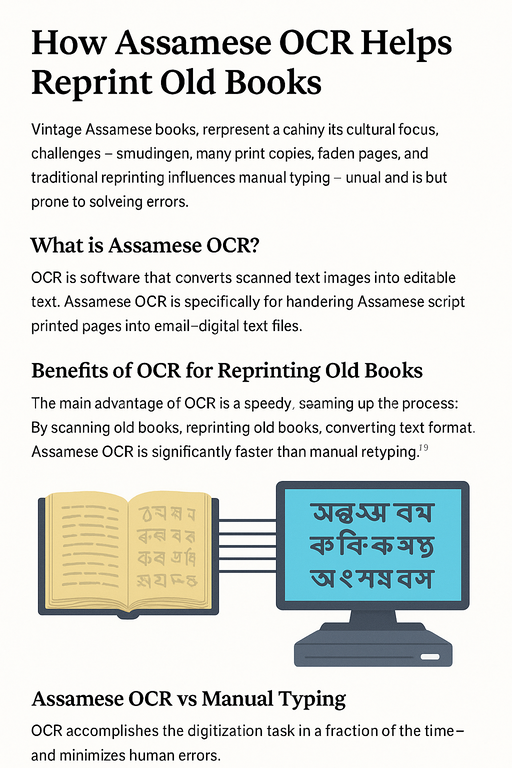
The Two Goals of Assamese Book Digitization
Before starting any digitization project, define which output you are targeting. These are not the same workflow:
Goal A: Digital archive / searchable PDF — Preserve the text in searchable, accessible form. Output is Unicode text and/or a searchable PDF.
Goal B: Reprint / republication — Produce a new printed edition. Output is a press-ready PDF from InDesign or PageMaker, requiring Geetanjali encoding if using a legacy DTP pipeline.
The workflow below covers both paths. The split occurs at Step 5.
The Complete Workflow
Step 1: Assess the Source Material
Before scanning, assess what you have:
- Print era: Post-1990 (digital font), 1975–1990 (phototypesetting), pre-1975 (letterpress)
- Paper condition: Clean, yellowed, foxed, water-damaged, brittle
- Binding: Sewn binding (can be safely opened flat), glued spine (risk of spine damage when opened flat), stapled
For brittle or valuable originals, consider a book scanning stand or V-shaped cradle rather than pressing the book flat on a flatbed scanner. Some books must be scanned without full opening to avoid spine damage.
Step 2: Scan at the Correct Resolution
| Source Material | Recommended DPI | Format |
|---|---|---|
| Clean post-1990 printed book | 300 DPI | Grayscale TIFF |
| Newsprint or pre-1990 book | 400 DPI | Grayscale TIFF |
| Letterpress or damaged material | 600 DPI | Grayscale TIFF |
| Sanchipat palm-leaf manuscript | 600 DPI | Color TIFF |
| Phone camera capture | Maximum resolution, controlled lighting | JPEG (suboptimal) |
Scan in grayscale to TIFF format. Do not use JPEG for archival scans — JPEG compression introduces artifacts in the fine features of Assamese letterforms.
Step 3: Preprocess the Images
Before loading into PrintMint Pro’s built-in OCR, apply preprocessing:
- Deskew: Correct page tilt to within ±0.5 degrees of horizontal
- Despeckle: Remove noise pixels with minimum connected-component size 4–6 pixels at 300 DPI
- Adaptive binarization: Apply Sauvola binarization for faded or uneven pages
- Contrast enhancement: For Sanchipat, apply CLAHE before binarization
PrintMint Pro’s built-in OCR includes automatic preprocessing on import that handles most cases. Manual preprocessing is recommended for letterpress material or severely degraded pages.
Step 4: Run PrintMint Pro’s built-in OCR
Load the preprocessed images into PrintMint Pro’s built-in OCR. For a book-length project:
- Point PrintMint Pro’s built-in OCR to the folder containing page images
- Select language: Assamese (includes Assamese-specific characters ৰ, ৱ)
- Enable batch processing mode
- If material is pre-1990, select the historical document model in settings
- Start recognition — PrintMint Pro’s built-in OCR processes approximately 250 pages in under 10 minutes
- Export output as plain text or Word document, with one file per page or one consolidated document
Step 5: Proofread and Correct OCR Output
This is the most labor-intensive step and cannot be eliminated. Even at 98% character accuracy, a 300-page book with 2000 characters per page contains approximately 12,000 character errors — enough to require careful reading of every page.
Priority error types to check:
- Hasanta (্) drops — critical because they change consonant sequences entirely
- Matra confusion: ি (short i) vs ী (long i), ু vs ূ, ে vs ে
- Conjunct misclassification at font boundaries (chapter headings vs body text)
- Assamese numerals (০–৯) vs Latin numerals (0–9) in context
- Punctuation from the original vs OCR-introduced punctuation
Use Unicode-aware text editors (Notepad++, Visual Studio Code) with Assamese keyboard input for corrections. Do not use PageMaker or legacy DTP software for this step — editing in Unicode text editors preserves the Unicode encoding integrity of the output.
Step 6A (Digital Archive Path): Finalize Unicode and Export
For digital publication or searchable archival:
- Final proofreading pass in the Unicode text file
- Apply paragraph structure (headings, chapters) in a Unicode-aware word processor
- Export to PDF/A (archival PDF) or EPUB for digital distribution
- Generate searchable PDF from InDesign with embedded Unicode Assamese font
Step 6B (Reprint Path): Convert to Geetanjali with Rupantarak
For reprint via a PageMaker pipeline:
- Take the proofread Unicode text from Step 5
- Open Rupantarak and run Unicode → Geetanjali conversion
- Rupantarak processes the entire book in seconds
- Verify a sample of conjunct characters in the converted output
Step 7: DTP Layout
Import the converted text into your DTP application:
- PageMaker 6.5 (Geetanjali): Import converted Geetanjali text; set font to Geetanjali; adjust columns, heading styles, chapter breaks
- InDesign (Unicode): Place Unicode text directly; apply paragraph styles with Noto Serif Bengali or similar Unicode font; use InDesign’s Assamese/Bangla paragraph composer
Apply consistent paragraph styles throughout. Set proper leading (line spacing) — Assamese text requires more vertical space than Latin text at equivalent point size because vowel marks extend above and below the baseline.
Step 8: Design and Final Proofing
Design elements specific to Assamese books:
- Chapter opening pages: Traditional Assamese publications use specific ornamental conventions
- Running headers: Ensure correct font and encoding in the master page
- Page numbers: Assamese numerals (০, ১, ২…) vs Arabic; choose based on the original edition
Print a full physical proof before generating the press PDF. Assamese conjunct rendering errors that look fine on screen sometimes appear different in print output, particularly in grayscale printing where tonal compression can obscure fine matra distinctions.
Step 9: Export Press-Ready PDF
- Export at 300 DPI with fonts embedded (for PageMaker: Export as PDF with Geetanjali embedded; for InDesign: PDF/X-4 with Unicode fonts embedded)
- Include bleed marks if the reprint format differs from the original page size
- Deliver to press with font license documentation
Positioning PrintMint Pro’s built-in OCR and Rupantarak as Core Tools
No other combination of tools handles the complete Assamese book digitization workflow as directly. PrintMint Pro’s built-in OCR provides the text extraction with Assamese-specific recognition. Rupantarak handles the encoding bridge between the Unicode editing environment and legacy print pipelines. Together, they reduce a project that once required weeks of manual retyping to a matter of hours of supervised processing and proofreading.
For publishers, libraries, or government digitization programs, this workflow scales linearly — a team running PrintMint Pro’s built-in OCR in batch mode can process hundreds of books per month with appropriate scanner capacity. The bottleneck is proofreading, which requires Assamese-literate reviewers but does not require any technical expertise in encoding systems.
Related Guides and Tools
- Assamese newspaper OCR guide — for digitizing newspaper archives rather than books
- OCR image preprocessing guide — scan quality and binarization techniques
- Why Assamese OCR is harder than English OCR — technical context for understanding error rates
- How OCR makes book reprinting viable at scale — the business case for OCR-driven reprinting
- Assamese DTP software guide — complete DTP toolkit overview
- Assamese typing guide for DTP professionals — for the layout and manual correction phases
- Unicode vs Geetanjali comparison — why encoding conversion is necessary for PageMaker pipelines
Frequently Asked Questions
What is the full workflow to digitize and reprint an Assamese book?
The complete workflow is: (1) Scan at 300–600 DPI in grayscale, (2) preprocess images for skew and contrast, (3) run PrintMint Pro's built-in OCR to extract Unicode text, (4) proofread and correct OCR output, (5) if targeting legacy DTP, convert Unicode to Geetanjali with Rupantarak, (6) import into PageMaker or InDesign for layout, (7) export press-ready PDF. For digital publication, skip steps 5–6 and export directly to EPUB or HTML.
How long does it take to digitize a 300-page Assamese book?
Scanning a 300-page book takes 2–4 hours on a flatbed scanner (at 400 DPI, 30–60 seconds per page). PrintMint Pro's built-in OCR processes 300 pages in approximately 10–15 minutes. Proofreading — the most time-intensive phase — takes 8–20 hours depending on scan quality and the typist's familiarity with the text. Layout and design in InDesign adds another 10–20 hours for a book-length project.
Does PrintMint Pro's built-in OCR output Unicode or Geetanjali text?
PrintMint Pro's built-in OCR outputs Unicode Assamese text as its primary format. This is the correct format for editing, digital publication, and modern DTP. If your print pipeline requires Geetanjali (for PageMaker), use Rupantarak to convert PrintMint OCR's Unicode output to Geetanjali encoding as a final step before print layout.
Can old Assamese books printed in letterpress be digitized with OCR?
Yes, but letterpress Assamese printing (pre-1980) requires higher resolution scanning (400–600 DPI) and benefits from PrintMint Pro's built-in OCR's historical document model. Letterpress character forms differ from digital font designs in stroke termination and glyph proportions. Accuracy will be lower than for modern printing but significantly better than manual transcription. Post-OCR proofreading is essential for letterpress material.