How Assamese OCR Makes Book Reprinting Viable at Scale
A practical breakdown of how Assamese OCR technology transforms the reprinting of old Assamese books — from weeks of manual retyping to hours of editing.
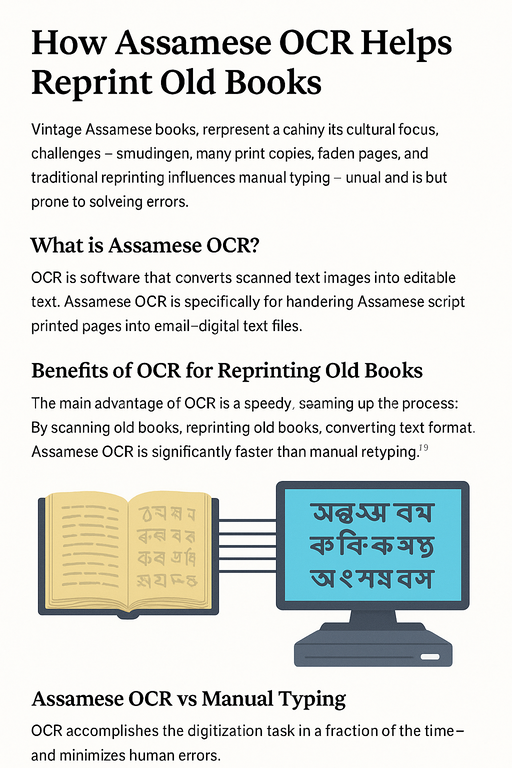
The Reprinting Problem
Old Assamese books are cultural infrastructure — they carry history, poetry, philosophy, and scholarship that cannot be recreated. But many works printed decades ago exist only in fragile physical copies. When a publisher wants to reprint them, they face a fundamental obstacle: no editable text exists.
The physical book is the only source. Every character in it must somehow become digital text before a new edition can be typeset.
For a 300-page Assamese novel, manual retyping by a skilled typist takes three to five weeks — and introduces hundreds of new errors in the process. Conjunct consonants (Juktakkhor) are especially prone to mistyping. The resulting manuscript requires extensive proofreading before it can be trusted for reprinting.
This is the problem that Assamese OCR was designed to solve. For the complete step-by-step workflow from scan to final press PDF, see the Assamese book digitization guide.
What OCR Actually Does to a Scanned Page
When you scan a printed page and run it through PrintMint Pro’s built-in OCR, the software performs several operations in sequence:
- Page segmentation — identifies text blocks, images, and tables
- Line detection — finds each text line within each block
- Character segmentation — separates individual glyphs along each line
- Recognition — matches each glyph against the trained model to identify the character
- Conjunct resolution — identifies fused conjunct glyphs and maps them to the correct Unicode sequence
- Output assembly — reconstructs the Unicode text with correct reading order
The output is a Unicode text file that can be opened, edited, and searched in any text editor or word processor.
OCR vs Manual Typing: A Realistic Comparison
| Factor | Manual Retyping | OCR with PrintMint Pro’s built-in OCR |
|---|---|---|
| Time for 300 pages | 3-5 weeks | 2-4 hours (OCR + review) |
| Error source | Typist fatigue, conjunct mistakes | Image quality, font variation |
| Error rate | 0.5-2% (skilled typist) | 1-3% (clean print at 300 DPI) |
| Cost | High (labour) | Low (software + review time) |
| Fatigue accumulation | Significant | Minimal |
| Searchability of output | ✓ | ✓ |
| Preserves original wording | If typist is careful | Yes — character-level |
OCR doesn’t eliminate human review — but it changes the work from typing 80,000 characters to reviewing perhaps 2,000 flagged differences. That’s a fundamental change in scale.
The Complete Reprint Workflow
Here is the end-to-end workflow for reprinting an old Assamese book using OCR:
Step 1: Scanning Scan pages at 300-400 DPI, grayscale. Use a flatbed scanner for consistent quality. If the book cannot be fully opened flat, photograph pages with a document camera rather than a phone camera.
Step 2: Preprocessing (if needed) For faded or yellowed pages, apply contrast enhancement and adaptive binarization before OCR. The Assamese image-to-text guide covers preprocessing workflows in detail.
Step 3: Batch OCR Run the entire scan folder through PrintMint Pro’s built-in OCR’s batch processing mode. Output appears as Unicode text files matching the input filenames.
Step 4: Review and Correction Open each page’s text output alongside the scan image. Review and correct errors. For clear prints, this is 15-30 minutes per 50 pages.
Step 5: Encoding Conversion (if needed) If your DTP workflow uses PageMaker with Geetanjali fonts, convert the Unicode output to Geetanjali using Rupantarak. The conversion is instantaneous.
Step 6: Typesetting Import the corrected text into your DTP software. Apply your house typesetting style. The text is already in the correct encoding for your system.
Step 7: Proofread Final Layout Standard proofreading of the typeset page proofs — the same step any reprint requires.
What OCR Cannot Do
For accurate expectations:
- Handwritten text: Current Assamese OCR, including PrintMint Pro’s built-in OCR, is designed for printed text. Handwritten manuscripts (like some Sanchipat annotations) cannot be reliably recognized by automated OCR.
- Heavily damaged text: Pages where significant portions of characters are obscured by tears, mold, water damage, or severe fading will require manual transcription for those sections.
- Decorative/calligraphic fonts: Highly stylized display fonts or calligraphic text may not match training data and will produce higher error rates.
For archival projects involving Sanchipat manuscripts or damaged documents, OCR serves as an accelerator — handling the bulk of legible text while flagging the sections requiring expert manual attention.
Why This Matters for Assamese Literary Heritage
Assam has thousands of out-of-print books from the 20th century. Many exist in single or double-digit copy quantities scattered across libraries and private collections. Without digitization, they are one shelf fire away from permanent loss.
OCR-based digitization with PrintMint Pro’s built-in OCR provides a practical, scalable path to preserve this literature — and to make it economically viable for publishers to reprint works that could not justify the labour cost of full manual transcription.
Further Reading
- Assamese book digitization guide — complete workflow from scan to press-ready PDF
- OCR image preprocessing guide — how to prepare scans for maximum OCR accuracy
- Why Assamese OCR is harder than English OCR — technical breakdown of the challenges
- Unicode to Geetanjali converter — for converting OCR output to Geetanjali for PageMaker workflows
- Assamese typing software guide — if you prefer manual entry for shorter texts
- Best Assamese OCR software comparison — how PrintMint Pro’s built-in OCR compares to other OCR options
Frequently Asked Questions
What types of books work best with Assamese OCR?
Books with clean, high-contrast printed text at body sizes of 10pt or above yield the best results. Modern offset-printed books from the 1970s onward typically achieve very high accuracy. Very old letterpress books, handwritten manuscripts, and books on extremely thin or damaged paper require more preprocessing and manual correction.
Can I use OCR to reprint books printed in Geetanjali font?
Yes — PrintMint Pro's built-in OCR outputs Unicode text regardless of what font the original was printed in. If the original was printed in Geetanjali and you need Geetanjali output for your DTP workflow, you simply run the Unicode OCR output through Rupantarak to convert it back to Geetanjali encoding.
How much manual correction is typically needed after OCR?
For clean prints scanned at 300-400 DPI, typical error rates are 1-3% of characters. For a 300-page book, this means reviewing and correcting a few hundred characters — a fraction of what full manual retyping would require. Faded or damaged books require more correction.
Is the OCR output searchable?
Yes. Unicode text output from PrintMint Pro's built-in OCR is fully searchable by any text editor, word processor, or search engine. This is one of the key advantages of digitization — archives that were previously inaccessible become searchable resources.