Assamese OCR: Technical Challenges and How PrintMint Pro's built-in OCR Solves Them
An expert breakdown of why Assamese OCR is uniquely difficult — covering script complexity, conjunct recognition, scan quality, and image preprocessing requirements.
Why Assamese OCR Is Fundamentally Different from English OCR
General-purpose OCR engines — including many widely advertised tools — achieve high accuracy on English text but fail substantially on Assamese. This is not a quality issue with those engines; it’s an architectural mismatch. Assamese script has properties that require specialized recognition systems.
Understanding these differences helps you set realistic expectations and choose the right tools for your digitization workflow. For a general overview of what OCR can accomplish for Assamese documents, see the complete Assamese image-to-text guide.
Challenge 1: The Shirorekha and Vowel Mark Collisions
The Assamese (and Bangla) script has a horizontal line running across the top of most characters called the Shirorekha (শিৰৰেখা). Vowel marks (matras) also attach above characters — most critically the ‘i’ vowel mark (ি) which appears to the left of its base character.
In printed text at body sizes (10-12pt), the Shirorekha and the top-attached vowel marks run very close together. At low scan resolution or with slight ink spread, they can merge into a single stroke. An OCR engine that cannot distinguish merged strokes from clean strokes will misread the character.
This is one of the most common failure modes in generic OCR applied to Assamese text.
Challenge 2: Juktakkhor Conjunct Recognition
Assamese has a rich system of Juktakkhor (যুক্তাক্ষৰ) — conjunct consonants formed by combining two or three consonants into a single fused glyph. Common examples:
- ক্ষ = Ka + Ssa (a single glyph, not three separate characters)
- ত্ৰ = Ta + Ra
- ন্ত্ৰ = Na + Ta + Ra (three-way conjunct)
In Unicode, conjuncts are encoded as sequences of base characters with a Hasanta (virama) marker between them. But the visual glyph for a conjunct looks nothing like its individual components side by side.
An OCR engine must recognize the complete glyph form and map it back to the correct Unicode sequence — this requires a conjunct-aware recognition model trained specifically on Assamese script.
Challenge 3: Legacy Font Letterform Variation
Printed Assamese books from different eras use different typefaces — and Assamese typefaces vary significantly in letterform design. The letter ৰ (Ra), for example, has historically been drawn in multiple distinct ways across different foundries and DTP software packages.
If an OCR model was trained primarily on one font style, it will struggle with documents set in a different style. This is particularly acute for:
- Books printed before 1990 using older metal type or phototypesetting
- Documents set in Ramdhenu, Bikash, or other legacy font systems rather than Geetanjali
- Regional variants with distinct calligraphic traditions
See the history of Assamese font encoding systems for context on why these variants exist.
Challenge 4: Scan and Image Quality Factors
| Image Quality Factor | Impact on OCR Accuracy |
|---|---|
| Resolution < 300 DPI | Characters too small for reliable recognition — accuracy drops sharply |
| Resolution 300 DPI | Acceptable for clean printed text |
| Resolution 400-600 DPI | Recommended for older books, small fonts, or worn paper |
| Grayscale vs Binary | Grayscale retains more information; binarization must use adaptive thresholds |
| Ink bleed-through | Common in older newspapers and thin paper books; reduces accuracy 10-30% |
| Yellowed/stained paper | Background noise that can be partially corrected in preprocessing |
| Deskewed pages | Pages scanned at an angle significantly reduce accuracy; must be corrected |
| Low contrast | Faded ink requires contrast enhancement before OCR |
For detailed guidance on preparing images before OCR, the Assamese OCR image preprocessing guide covers scanner settings, adaptive binarization, and deskewing workflows.
Challenge 5: Mixed-Content Pages
Assamese newspapers and books often contain:
- Mixed Assamese and English text on the same page
- Multiple font sizes (headline, subhead, caption, body text)
- Columnar layouts with narrow gutters
- Advertisements with decorative fonts
- Tables and ruled borders
Each zone type requires different processing. OCR systems that treat the entire page as a single text block will fail on these documents. Zone-based detection with per-zone recognition models is essential.
PrintMint Pro’s built-in OCR uses page segmentation to identify text regions, tables, and image regions independently before applying recognition — producing cleaner output on complex page layouts.
The Post-OCR Workflow
OCR output is Unicode text. For most use cases this is exactly what you need — editable, searchable, compatible with every modern application.
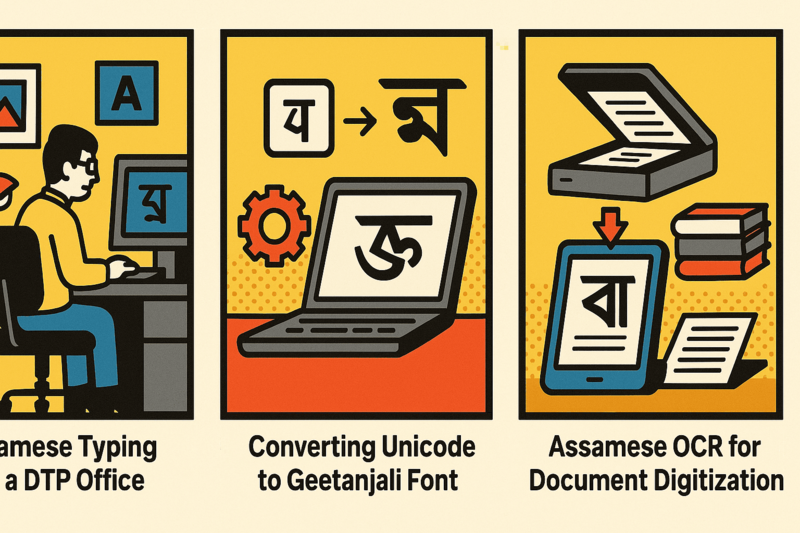
If your destination is a legacy DTP system using Geetanjali fonts (PageMaker, some InDesign configurations), you’ll need one additional step: convert the Unicode OCR output to Geetanjali encoding using Rupantarak.
The complete workflow for a book reprint project:
- Scan pages at 400 DPI, grayscale
- Run batch OCR with PrintMint Pro’s built-in OCR → Unicode output
- Review and correct OCR output (typically 1-3% error rate for clean prints)
- If needed, convert Unicode → Geetanjali with Rupantarak
- Import into DTP layout for final typesetting
This workflow reduces a 300-page book reprint from weeks of manual typing to a single day of editing.
Conclusion
Assamese OCR accuracy depends on three factors: image quality, recognition engine quality, and post-processing workflow. Generic OCR tools fail on all three dimensions for Assamese text. A specialized system trained on Assamese script, with preprocessing pipeline and conjunct-aware recognition, is not optional — it is the baseline requirement.
For PrintMint Pro’s built-in OCR capabilities and to download a trial, see the product page.
Related Guides and Reading
- Assamese image to text guide — step-by-step OCR workflow from scanning to export
- OCR image preprocessing guide — DPI settings, binarization, and deskewing
- Why Assamese OCR is harder than English OCR — deep technical breakdown
- How OCR makes book reprinting viable — the business case and reprint workflow
- Assamese book digitization guide — complete scan-to-press-PDF pipeline
- Assamese newspaper OCR guide — multi-column layout and newsprint-specific challenges
- Unicode to Geetanjali converter — converting OCR output for legacy DTP
- Best Assamese OCR software — how PrintMint Pro’s built-in OCR compares to alternatives
Frequently Asked Questions
What image resolution is required for accurate Assamese OCR?
A minimum of 300 DPI (dots per inch) is required for printed text OCR. For older books with small fonts or faded ink, 400-600 DPI produces significantly better results. Phone camera photos are generally insufficient unless taken with a document scanner app that corrects perspective and exposure.
Can PrintMint Pro's built-in OCR handle mixed Assamese and English text on the same page?
Yes. PrintMint Pro's built-in OCR supports multi-language recognition on the same page, including Assamese, Bangla, Hindi, and English. It automatically identifies script regions and applies the appropriate recognition model to each zone.
Why does OCR accuracy drop on Assamese newspaper pages?
Newspaper pages combine multiple challenges: newsprint texture, mixed font sizes across headlines/body/classifieds, narrow column widths, ink bleed-through from the reverse side, and tight line spacing. Each factor independently reduces accuracy. PrintMint Pro's built-in OCR's newspaper mode applies specialized preprocessing to address these issues.
What happens after OCR? Can I use the text directly for print?
PrintMint Pro's built-in OCR outputs Unicode text. For use in legacy DTP software like PageMaker with Geetanjali fonts, you'll need to convert the Unicode output using Rupantarak. For modern InDesign or Word-based workflows, the Unicode text works directly.